Nutrition Facts Label Maker
A free nutrition facts label maker for packaged food products. Pick an FDA-compliant format, fill in your data, and download a print-ready, high-resolution image — no design software required.
- 13
- FDA Label Formats
- 100%
- Free to Use
- 0
- Sign-ups Required
- HD
- Print-Ready PNG
Everything you need to label a packaged food product
A complete, browser-based Nutrition Facts label maker built around the FDA's official layouts.
FDA 2016-Compliant Layouts
Every format follows the FDA's current Nutrition Facts label rules, including the bolded calorie count and the Added Sugars line.
Real-Time Live Preview
Your label redraws instantly as you type, so you always see exactly what you're about to download.
Every Layout Covered
Vertical, linear, tabular, dual-column, aggregate, bilingual, and infant/children formats — all in one place.
Adjustable Panel Width
Drag a single slider to resize any label so it fits your exact packaging dimensions, front or back of pack.
Ingredients & Manufacturer Info
Add a formatted ingredient list, allergen statement, and manufacturer name & address to any label with one toggle.
High-Resolution Downloads
Export a crisp, watermark-free PNG at 3x resolution — ready to hand straight to your printer or packaging designer.
How it works
Create your Nutrition Facts label today in 3 simple steps.
Choose a label format
Pick from 13 official FDA Nutrition Facts layouts based on your product and packaging.
Fill in your nutrition data
Enter calories, macronutrients, vitamins, ingredients, and manufacturer details — watch the label update live.
Download & print
Export a free, high-resolution PNG that's ready to send straight to your packaging printer.
Explore every label format
Jump straight into any of the 13 FDA Nutrition Facts layouts supported by the generator.
Vertical Display
Standard Vertical
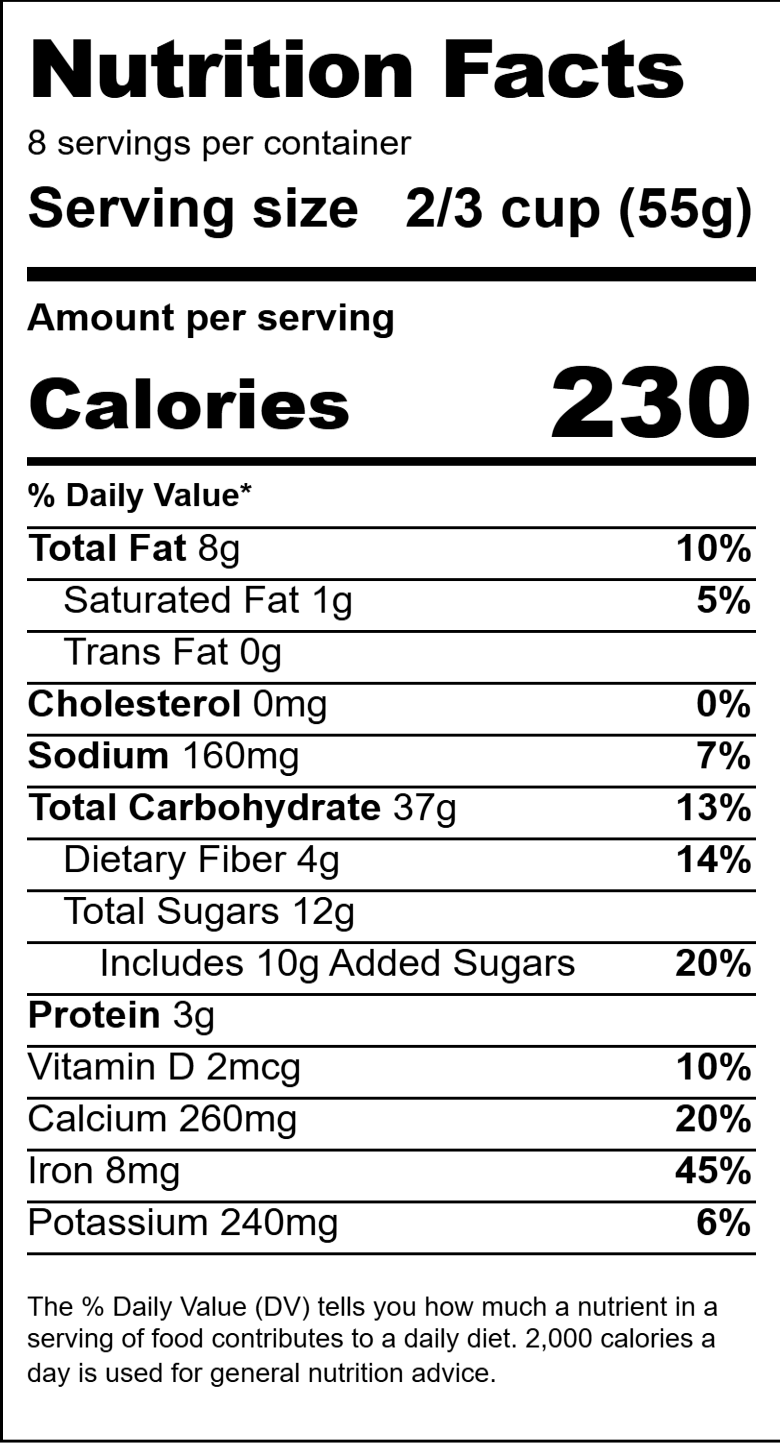
The most common Nutrition Facts label format, used on the majority of packaged foods.
Simplified Display
For foods that contain insignificant amounts of 8 or more of the mandatory nutrients.
Vertical Display with Micronutrients Listed Side-by-Side
Standard vertical label with the vitamins & minerals section arranged in two columns to save vertical space.
Infants through 12 Months of Age
Nutrition Facts label format for foods intended for infants through 12 months of age.
Children 1-3 Years
Nutrition Facts label format for foods intended specifically for children 1 through 3 years old.
English/Spanish Bilingual Nutrition Facts Label
Standard vertical label with every field shown in both English and Spanish.
Dual Column Display, Per Serving and Per Container
Required for certain multi-serving containers that could reasonably be consumed in one sitting. Lists values per serving and per container.
Dual Columns, Two Forms of the Same Food
Used when a food is sold in one form but typically prepared differently, e.g. 'As Packaged' and 'As Prepared'.
Aggregate Display
For variety packs or assortments, listing nutrition information for each different food side by side on one label.
Tabular Display
Tabular Display for Small or Intermediate-Sized Packages
A grid/table layout used for small or intermediate-sized packages that do not have room for the standard vertical format.
Tabular Format
The general tabular Nutrition Facts layout, arranging nutrients in a table rather than a vertical strip.
Tabular Dual Column Display
Tabular layout with two data columns, for per serving and per container (or two food forms).
More resources
Label Selection
Browse the full catalog of Nutrition Facts label formats grouped by display type.
View all formats →Nutrition Analysis
Not sure what numbers belong on your label? Learn how a nutrition analysis works.
Learn more →Contact Us
Found a bug or need a label format we don't support yet? Get in touch.
Email us →What is the FDA Nutrition Facts label?
The Nutrition Facts label is the standardized panel the U.S. Food and Drug Administration requires on most packaged foods and beverages sold in the United States. It lists serving size, calories, macronutrients such as total fat, sodium, and total carbohydrate, and key vitamins and minerals as a percentage of the Daily Value. A nutrition facts label maker like this one lets you build that panel from your product's data instead of laying it out by hand in a design program.
Which label format should you use?
The FDA publishes several approved layouts, and the right one depends on your packaging. Most products use the Standard Vertical format. Foods with insignificant amounts of most nutrients can use the Simplified Display. Multi-serving containers that could reasonably be finished in one sitting often need a dual-column label, while small or intermediate-sized packages — think a single-serving candy bar or a spice packet — typically use the Linear or Tabular display instead. Products made specifically for infants or children 1–3 years old have their own dedicated formats as well.
The FDA's 2016 label update
In 2016 the FDA finalized updated rules for the Nutrition Facts label on packaged foods, reflecting current science on diet and chronic disease. The changes make it easier for shoppers to make informed choices — including a larger, bolder calorie count and a new “Added Sugars” line. Manufacturers with $10 million or more in annual food sales were required to transition to the new label by January 1, 2020; smaller manufacturers had until January 1, 2021. Every format in this generator reflects that updated layout.
Reference: FDA, Changes to the Nutrition Facts Label.
Frequently asked questions
Is this nutrition facts label maker free to use?+
Yes. Every label format, the live preview, and the high-resolution PNG download are completely free, with no watermark and no sign-up required.
Are the labels FDA compliant?+
Each layout is modeled on the FDA's 2016 Nutrition Facts label rules. That said, this tool only formats the numbers you enter — you're responsible for verifying your product's nutrition data and confirming the finished label meets applicable regulations before printing.
What file format do I get when I download my label?+
Labels are exported as a high-resolution PNG image (roughly 3x scale), suitable for print media, packaging artwork, and web use.
Can I use a transparent background?+
Yes. Every label format has a transparent-background toggle so you can drop the panel directly onto existing packaging artwork.
Which format should I use for a small package?+
For packages with very little label space, use the Linear Display or one of the Tabular Display formats — both are designed by the FDA specifically for small and intermediate-sized packages.
Does this tool store or upload my nutrition data?+
No. The generator runs entirely in your browser — your nutrition data, ingredients, and images never leave your device or get sent to a server.
Ready to build your label?
Pick a format and have a print-ready Nutrition Facts label in minutes — completely free.
Start Here